
HyperCall · Real-time collaboration
Eliminate the distance between experts and field teams.
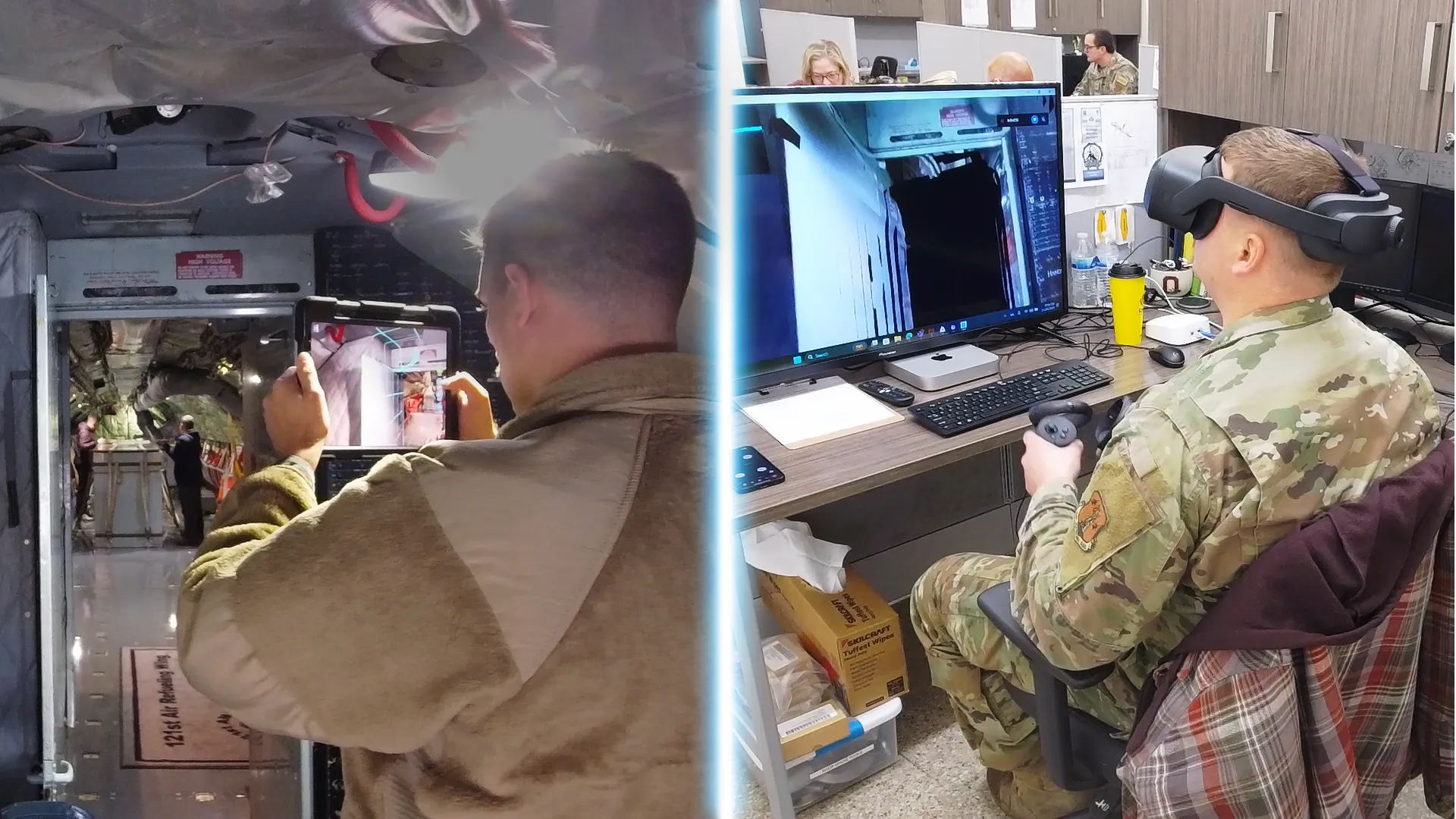
Real-time spatial collaboration: the expert joins a 3D digital twin of the worksite and works alongside the team on site.
Benefits
Fewer site visits. Faster fixes.
Reduce downtime, resolve issues faster, and make fewer site visits with HyperCall’s unique capabilities.
See the real problem
The expert walks the 3D scan of the equipment, not a shaky phone video.
Point, don’t describe
Arrows, photos, manuals and notes are placed on the exact component.
Fix it the first time
Guidance happens while the technician is at the equipment, not after a site visit.
Why HyperCall
Video calls lose the context. HyperCall keeps it.
The problem
- Traditional live video tools frustrate everyone when the camera isn’t pointed where it needs to be.
- Switching between video calls, document viewers and annotation tools loses the context.
The solution
- Onsite users create a precise digital twin of the worksite, so remote experts can move around it naturally and freely.
- Everything stays in one shared 3D space: pull up manuals, place arrows, take photos and videos, and leave instructions right next to the work.
How it works
A shared digital twin, any time, anywhere.
A persistent, synchronized digital twin of the worksite that the team and the experts can use whenever they need it.
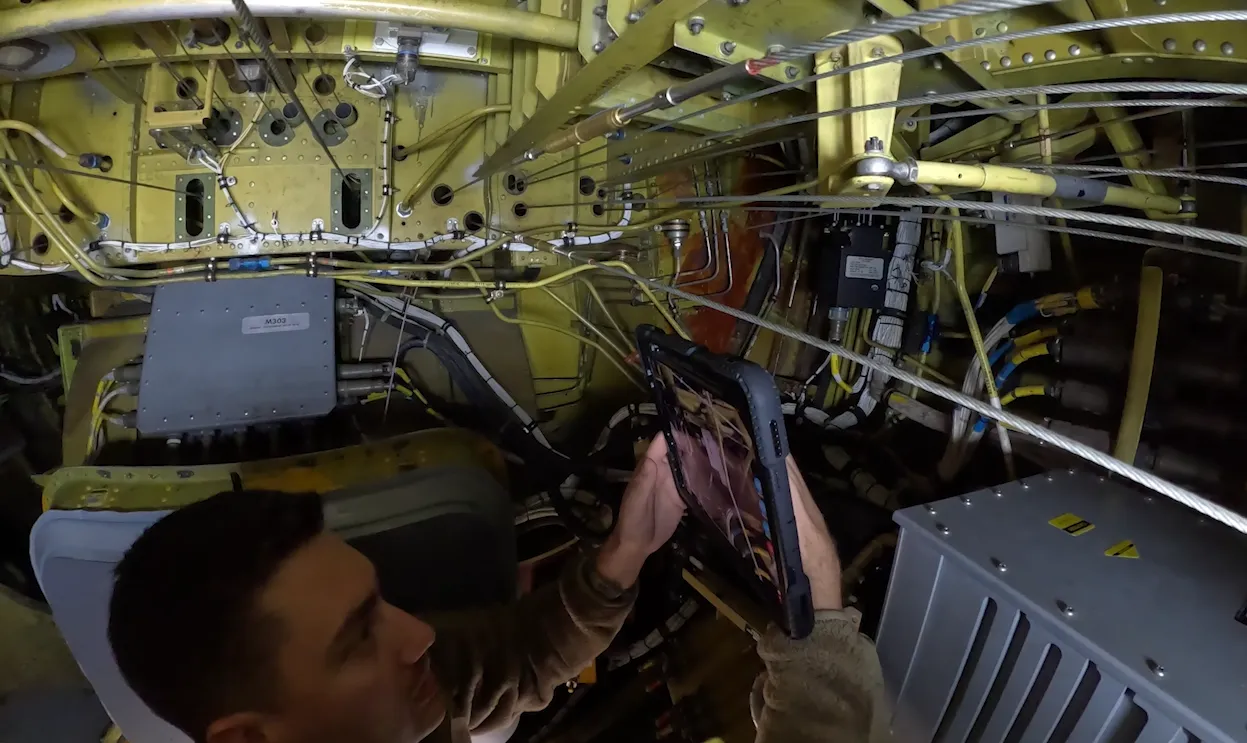
Step 1
Capture
Onsite teams scan the worksite with familiar devices such as an iPhone or iPad, creating a 3D digital twin.
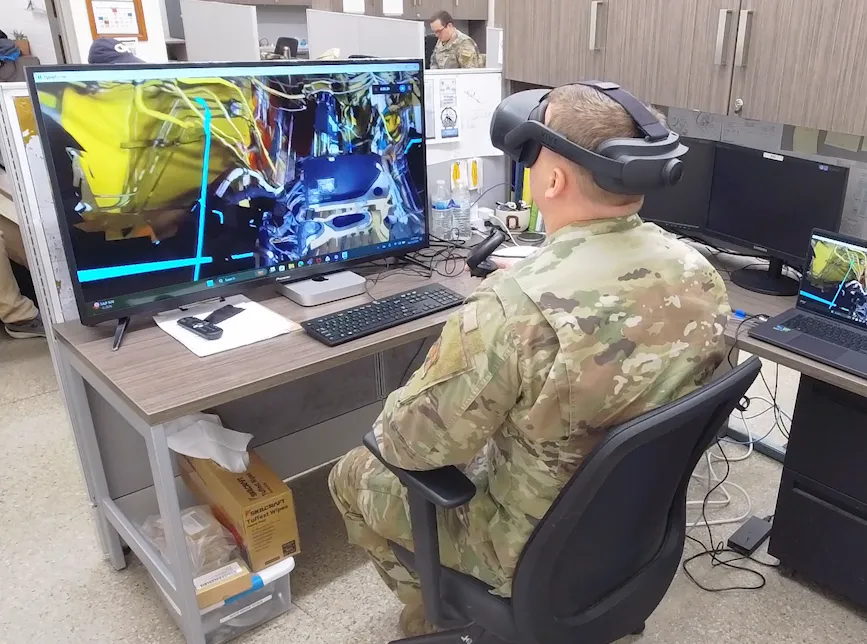
Step 2
Join
Experts join the digital twin on a mobile device, or in a headset for full immersion, and gain the situational awareness to give actionable guidance.
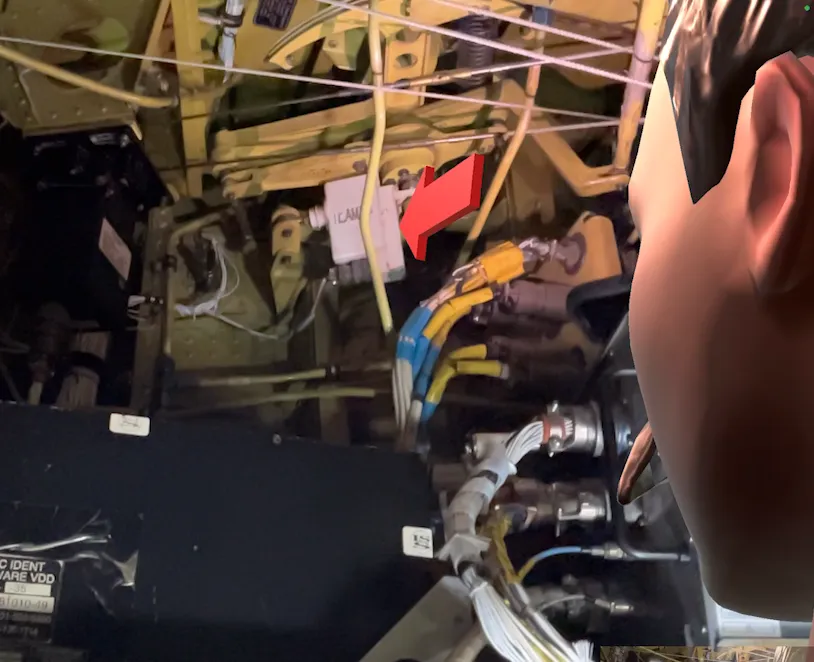
Step 3
Collaborate
Experts and onsite workers collaborate in real time with photos, videos, PDFs and annotations, synchronized between the physical and digital worlds.
See it
HyperCall in action.
See HyperTunnel on your own equipment.
A walkthrough with our team, built around your equipment and your use case.